> ## Documentation Index
> Fetch the complete documentation index at: https://docs.getsabo.com/llms.txt
> Use this file to discover all available pages before exploring further.
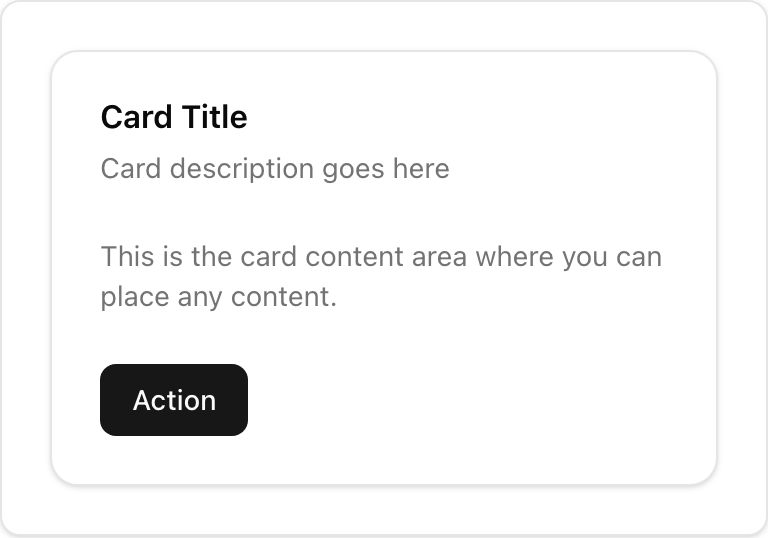
# Card
> Container for grouping related content.
* **Location**: `sabo/src/components/ui/card.tsx`
## When to use
* Group related content and actions with a clear container.
* Use headers/footers for titles and actions; keep content focused.
## Usage
```tsx sabo/src/components/ui/card.tsx theme={null}
import {
Card,
CardHeader,
CardTitle,
CardDescription,
CardContent,
CardFooter,
CardAction,
} from "@/components/ui/card";
import { Button } from "@/components/ui/button";
export function Example() {
return (
PlanMonthly billingBody content goes here.
);
}
```
## Key parts
Title/description area. Use CardAction for right‑side actions.
Main body region for text or components.
Actions or secondary info.
## Styling tip
* Keep vertical rhythm consistent (py-6 default). Adjust with className.
* Avoid over‑nesting; Cards should be simple.
## Accessibility
* Provide clear heading text (CardTitle) for screen reader context.
 * **Location**: `sabo/src/components/ui/card.tsx`
## When to use
* Group related content and actions with a clear container.
* Use headers/footers for titles and actions; keep content focused.
## Usage
```tsx sabo/src/components/ui/card.tsx theme={null}
import {
Card,
CardHeader,
CardTitle,
CardDescription,
CardContent,
CardFooter,
CardAction,
} from "@/components/ui/card";
import { Button } from "@/components/ui/button";
export function Example() {
return (
* **Location**: `sabo/src/components/ui/card.tsx`
## When to use
* Group related content and actions with a clear container.
* Use headers/footers for titles and actions; keep content focused.
## Usage
```tsx sabo/src/components/ui/card.tsx theme={null}
import {
Card,
CardHeader,
CardTitle,
CardDescription,
CardContent,
CardFooter,
CardAction,
} from "@/components/ui/card";
import { Button } from "@/components/ui/button";
export function Example() {
return (