> ## Documentation Index
> Fetch the complete documentation index at: https://docs.getsabo.com/llms.txt
> Use this file to discover all available pages before exploring further.
# Kbd
> Keyboard key hint for shortcuts.
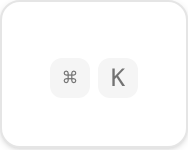 * **Location**: `sabo/src/components/ui/kbd.tsx`
## When to use
* Show keyboard shortcuts inline with labels, menus, or tooltips.
* Make shortcuts scannable with concise keys (e.g., ⌘K, Ctrl+P).
## Usage
```tsx sabo/src/components/ui/kbd.tsx theme={null}
import { Kbd, KbdGroup } from "@/components/ui/kbd";
export function Example() {
return (
⌘
K
);
}
```
## Key props
Use to adjust size (
* **Location**: `sabo/src/components/ui/kbd.tsx`
## When to use
* Show keyboard shortcuts inline with labels, menus, or tooltips.
* Make shortcuts scannable with concise keys (e.g., ⌘K, Ctrl+P).
## Usage
```tsx sabo/src/components/ui/kbd.tsx theme={null}
import { Kbd, KbdGroup } from "@/components/ui/kbd";
export function Example() {
return (
⌘
K
);
}
```
## Key props
Use to adjust size (text-xs → text-sm), spacing, or colors.
## Styling tip
* Keep contrast high and size small; KBD is a hint, not a button.
* Group related keys with KbdGroup.
## Accessibility
* Pair with descriptive text (“Search”) or tooltips to clarify purpose.