> ## Documentation Index
> Fetch the complete documentation index at: https://docs.getsabo.com/llms.txt
> Use this file to discover all available pages before exploring further.
# Textarea
> Multi-line text input.
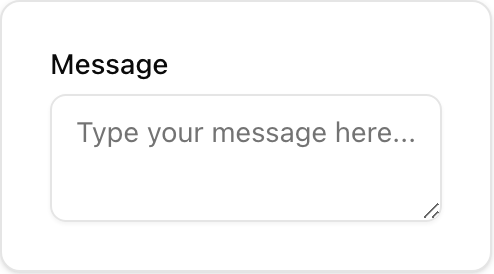 * **Location**: `sabo/src/components/ui/textarea.tsx`
## When to use
* Freeform, multi-line responses (messages, descriptions).
* Use Input for single-line text.
## Usage
```tsx sabo/src/components/ui/textarea.tsx theme={null}
import { Textarea } from "@/components/ui/textarea";
export function Example() {
return (
);
}
```
## Key props
Sets the initial height. Combine with
* **Location**: `sabo/src/components/ui/textarea.tsx`
## When to use
* Freeform, multi-line responses (messages, descriptions).
* Use Input for single-line text.
## Usage
```tsx sabo/src/components/ui/textarea.tsx theme={null}
import { Textarea } from "@/components/ui/textarea";
export function Example() {
return (
);
}
```
## Key props
Sets the initial height. Combine with className height utilities.
Width/height and overrides (w-80 h-24, rounded-lg).
## Styling tip
* Textareas grow with content by default (field-sizing-content); set a fixed height if needed.
## Accessibility
* Provide a descriptive label. Use aria-invalid and error text when validation fails.